 Getting started with the 121 web template
 Web Hosting
  Website Design
  121 website builder template
  Domain name registration
 The forms feature
If you're using the site for a club or organisation, you can quickly and easily build forms for your members to complete. These could be attendance at an event, menu choices, election pro forma.
In this area, site administrators can create and complete up to 20 forms in total. These forms can either be for sole use of the site administrator or for members to complete. The form might cover topics as attendance for an event, menu choice for weekly meetings or something more complex like a survey of members' opinion on an issue etc. You and members can add guests. Members can complete the form on behalf of their guests (e.g. menu options).
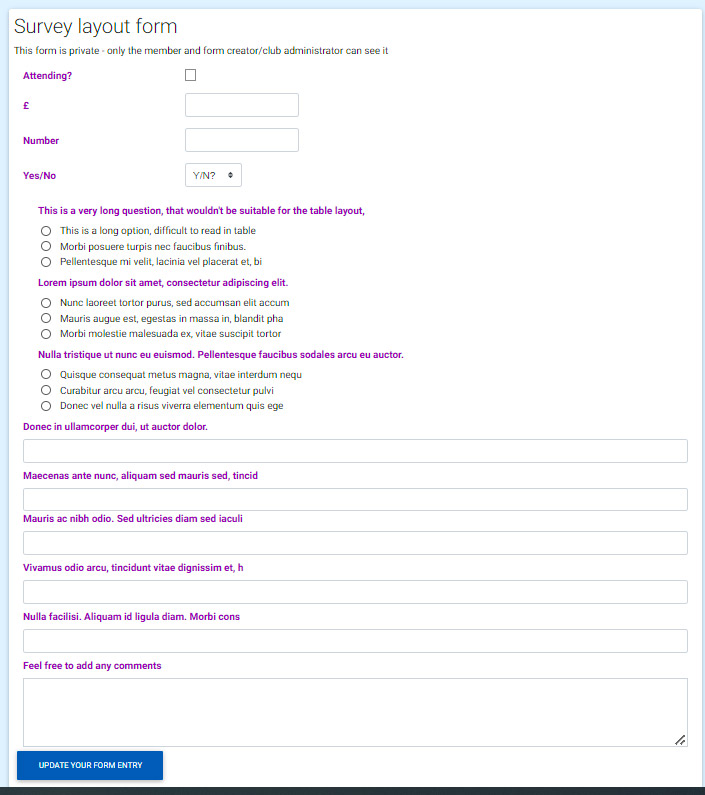
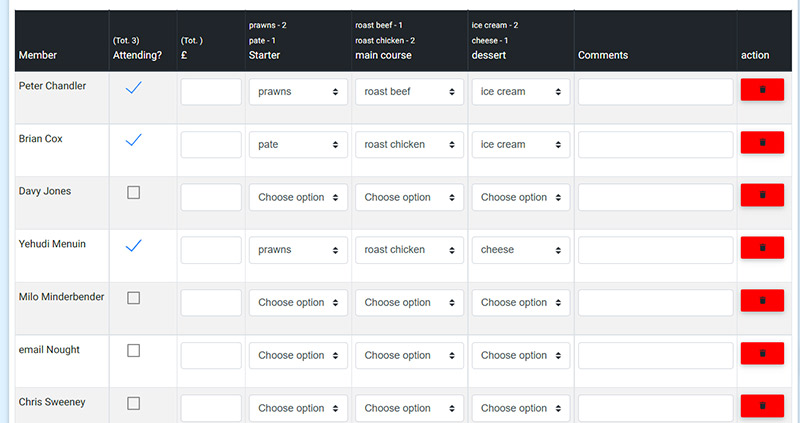
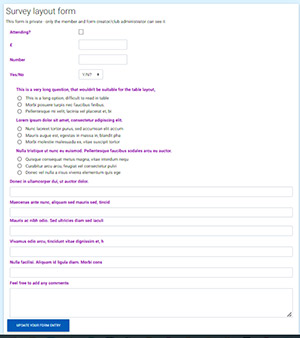 You can choose the type of form; 'tabular' suitable for menus etc, where the answer options are usually quite small - e.g. 'soup', 'salmon' - or a 'survey' layout where questions and possible answers can be much longer. The long questions/answers don't display well in a table. When you create a tabular form, members can see other members's responses and add guests. 'Survey' forms are for members only, as guests cannot log in to complete the form. Click the images for a larger view
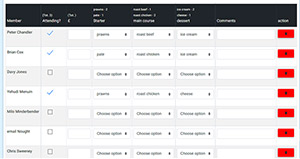
A site administrator has edit access to all forms - even if created by another administrator. You can, of course, complete any forms, as can any other member. When you add members to the form, all current members are added.
You can choose to have:
- A checkbox field that can be ticked. Useful, for example, to confirm attendance or if a member has paid.
- A currency field. This returns 2 decimal points, so 11.2 becomes 11.20, 25.547 becomes 25.55
- A number field, e.g. to count the number of guests.
- A yes/no field. An alternative to the checkbox above. Could be used to confirm payment or having 'lunch' in the example below.
The above form_setup fields are accumulated and totals for each are displayed in the column heading. Note - these are only updated when you hit the 'save contents' button or when you press Enter (you can see the disparity in the 'Attending?' column in the graphic).
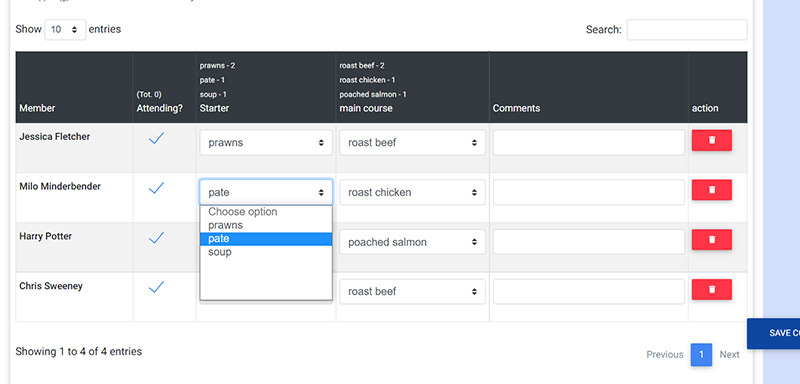
You can have up to 5 menu/drop-down selection fields, with the choices you name. In the screenshot above, the headings are 'starter' and 'main course', with options for each from which members can choose. These are also totalled above the column.
You can have a further 1 - 5 text fields on the form and name the headings as required.
You can also have a textarea field which you might use on a survey type form.
Please note that the display of the columns will vary according to the device you are using, so a column may appear wider on one screen than another. Also, if you add lots of fields, the columns may be too narrow, whatever device you use.
You can also search for a name and display 25, 50, 75 or 100 members at a time.
Members can add guests to the form and complete the options on their guest's behalf. However, guests are unable to log in and therefore cannot complete the form.
Deleting members only removes them from the form, not the site. Similarly, guests that have been added to a form cannot log in to the site.
 The forms feature