 Creating re-directs
 Web Hosting
  Website Design
  121 website builder template
  Domain name registration
 Email forwarding to the DMS addresses
Make use of your own domain name in email addresses, whilst keeping the ease of use when the postholder changes
The RIBI Template uses the DMS to automatically forward the following email addresses to the person who is the current club officer. When the club office holder changes, e.g. at the start of the Rotary year on July 1st, the destination automatically changes to the new club officer.
This is very convenient - but the addresses used are in a format that isn't easily remembered; postname@clubname.rotaryXXXX.org where XXXX is your district number, so secretary@conwy.rotary1180.org
| Forwarding address | Club Offficer | Forwarding address | Club Officer |
|---|---|---|---|
| admin@ | Administration | membership@ | Membership |
| assistantsecretary@ | Assistant Secretary | president@ | President |
| assistanttreasurer@ | Assistant Treasurer | presidentelect@ | President Elect |
| attendance@ | Attendance | presidentnominee@ | President Nominee |
| clubservice@ | Club Service | pro@ | Public Relations |
| communications@ | MPRC (Marketing, PR & Comms) | projects@ | Service Projects |
| community@ | Community | protection@ | Safeguarding |
| editor@ | Editor | rotaract@ | Rotaract |
| environment@ | Environment | safety@ | Health and Safety |
| fellowship@ | Fellowship | secretary@ | Secretary |
| foundation@ | Rotary Foundation | speaker@ | Speaker Secretary |
| fundraising@ | Fundraising | sports@ | Sports |
| interact@ | Interact | treasurer@ | Treasurer |
| international@ | International | vocational@ | Vocational |
| internet@ |
Internet Communications | webmaster@ | Primary Webmaster |
| ippresident@ | Immediate Past President | youth@ | Youth Service |
| it@ | IT |
However, if you have your own domain name you can combine the convenience of these auto-updated addresses with a more memorable address based on your domain name.
So, for any of the posts above used by your club, you could set a forwarding address of, for example, secretary@conwyrotary.org to go secretary@conwy.rotary1180.org
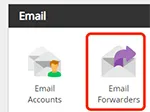
In your control panel, select 'Email Forwarders'.
The following page opens:
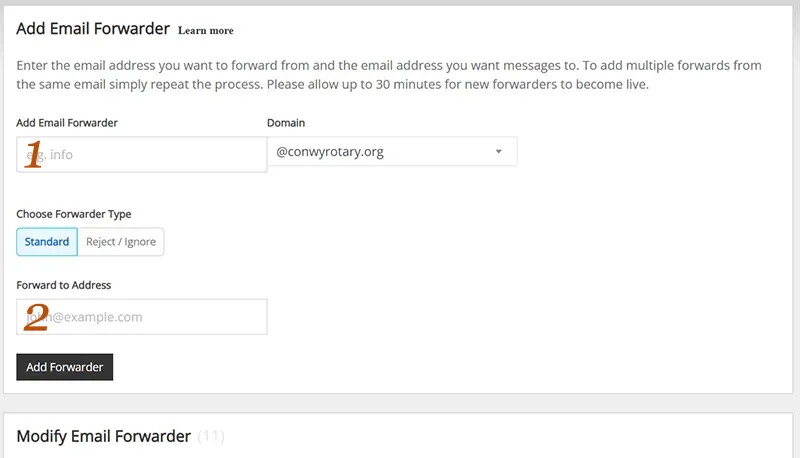
In the box 'Add Email Forwarder' (1) enter one of the addresses above, e.g. secretary
In the box 'Forward to Address' (2) enter the corresponding DMS email address e.g. secretary@conwy.rotary1180.org
Click the 'Add Forwarder' button. The page will refresh and you will see the just added forwarder below the 'Modify Email Forwarder' heading.
Repeat the process until you have set up all the posts you use.'
What about other email addresses?
This is one of the advantages of having your own domain name - you aren't restricted to the pre-defined list of addresses in the DMS.
So, your club might have an annual event like a beer festival and want a beerfestival@ email address. You can EITHER set it up as a forwarding address, as above, but the 'Forward to Address' would be a club member's own address OR
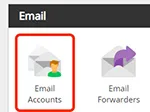 Click the 'email Accounts' icon in your control panel and set up a 'proper' email account, with its own password. The recipient could then set up that adddress in the email client, e.g. Outlook, and keep 'beerfestival' emails separate from other emails. If members' privacy is especially important to you, this method also means their personal email address isn't displayed in replies.
 Email forwarding to the DMS addresses