 Web Hosting
  Website Design
  121 website builder template
  Domain name registration
 Unlock FTP
Transferring your files from your computer to the remote server - FTP.
The process of transferring your website files (pages, images, videos etc) from your computer to the server is called FTP (File Transfer Protocol). A number of programmes are available to do this - or you can use your browser, though this doesn't offer as many facilities. Try Googling 'ftp software'.
After logging in to your control panel you will see a section of the screen similar to that shown below. An extra security feature - not offered by many hosting providers - means that FTP is locked by default. In order to transfer your files, you will need to 'unlock ftp' first. To unlock ftp for 1 day, click the 'Unlock FTP' button.
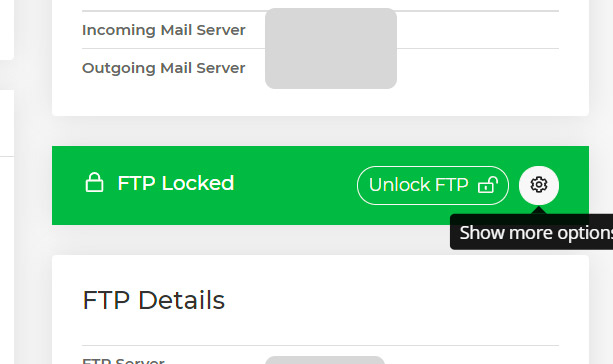 With most broadband providers you get a 'dynamic' IP address; this number can change every time you restart your computer or broadband. If you have a 'static' IP address, tick the 'settings' button to show more options (your IP address is detected automatically), then you won't need to log in each time you want to ftp files to your site. You can also specify a different time period to unlock ftp.
Note that you will need to 'lock' then 'unlock by IP' when you next try to ftp if you don't have a static IP address.
 Your control panel